Skip to content

Self-Managed Visa Assist Do it yourself, with AI guidance.

Prepare your visa application with help from AI. Use our AI-powered visa application assistance app to prepare your application at your own pace. Upload your documents, get them checked and receive your pre-filled application form, with clear next steps. 

Price Includes VAT

What to expect

Smart tools and clear steps to help you prepare your application. 
Real-time checks with AI

Upload your documents and get instant AI validation – so you know what’s good and what needs fixing.

A form that fills itself

Based on your documents and trip details, our AI tool pre-fills your visa application form – you just need to complete what’s missing.

A checklist that adapts to you

Get a dynamic to-do list tailored to your visa type and destination.

One final, ready-to-submit pack

Get a clean package of supporting documents, ready for you to submit with your application.

Clear instructions, always at hand

See your next steps inside the tool, personalised to your specific visa application.

Your data stays private

Fully encrypted, never shared, and automatically deleted within 6 months – or sooner if you ask. See how we protect your data.

Where and which visas we support

We support both short-stay and long-stay visas — from Schengen tourist and business visas (up to 90 days) to student visas for short and long-term studies. Here are the destinations we cover:

Not sure yet? You can start with Self-Managed and upgrade to Expert Visa Assist at any time – no need to decide right away.

How it works

A simple, user-friendly journey – supported by our dedicated AI tool.

Getting Started

Step 1

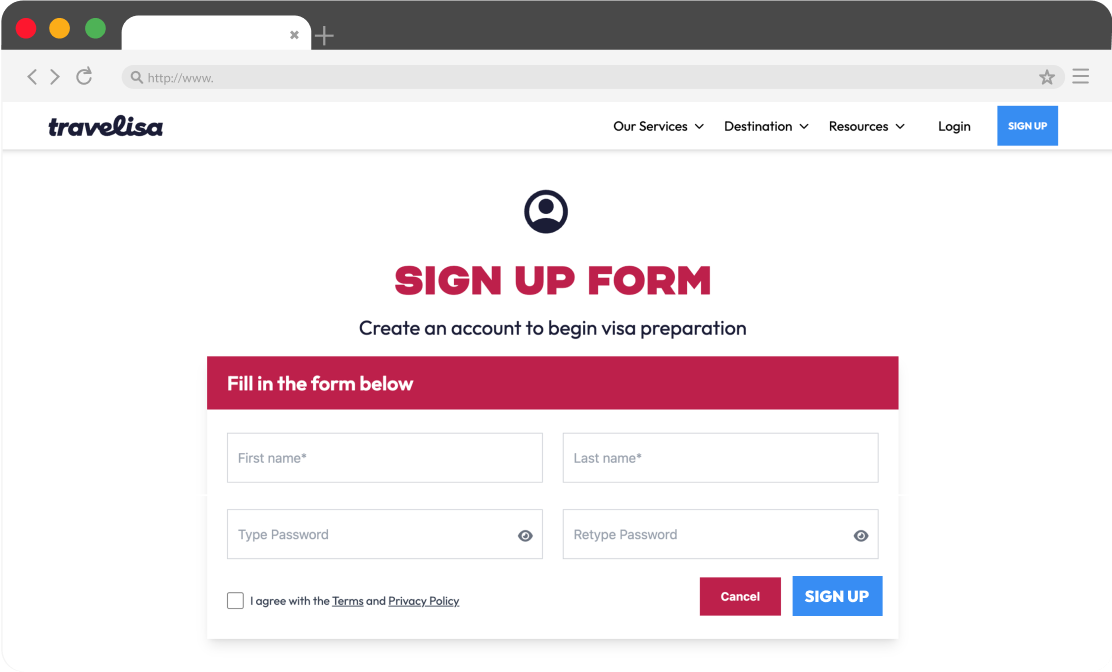
Create your account in just a few clicks. 

Step 1

Sign up to Travelisa

Step 2

Let us know where you're going, when and how many applications you need. You can prepare multiple applications from a single account – ideal for families or groups.

Step 2

Tell us about your trip

Step 3

Make a secure payment to unlock your Self-Managed Visa Assist journey. Once complete, you’ll get immediate access to the online tool where you can start preparing your application.

Step 3

Pay for the service

Step 4

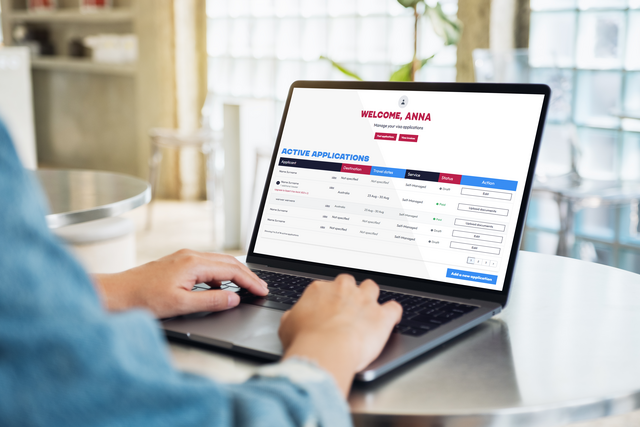
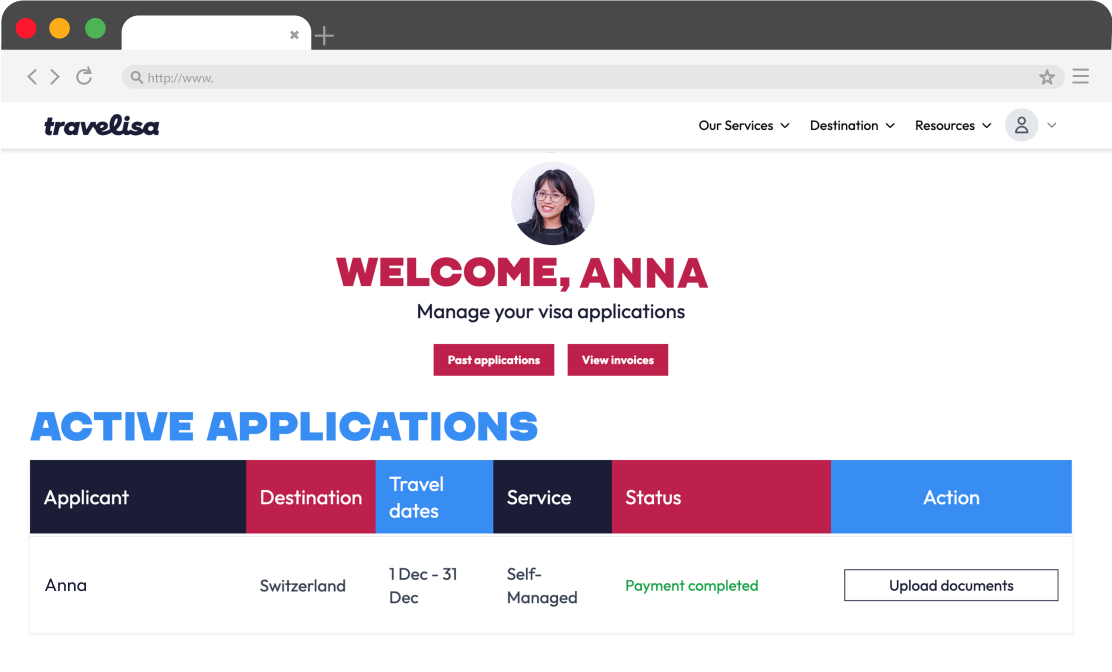
Your dashboard is your control centre. Log in to track your application, view invoices, and manage each step of the process at your own pace. From here, you’ll also be able to upload your documents and move forward with your visa preparation.

Step 4

Access your dashboard

Step 5

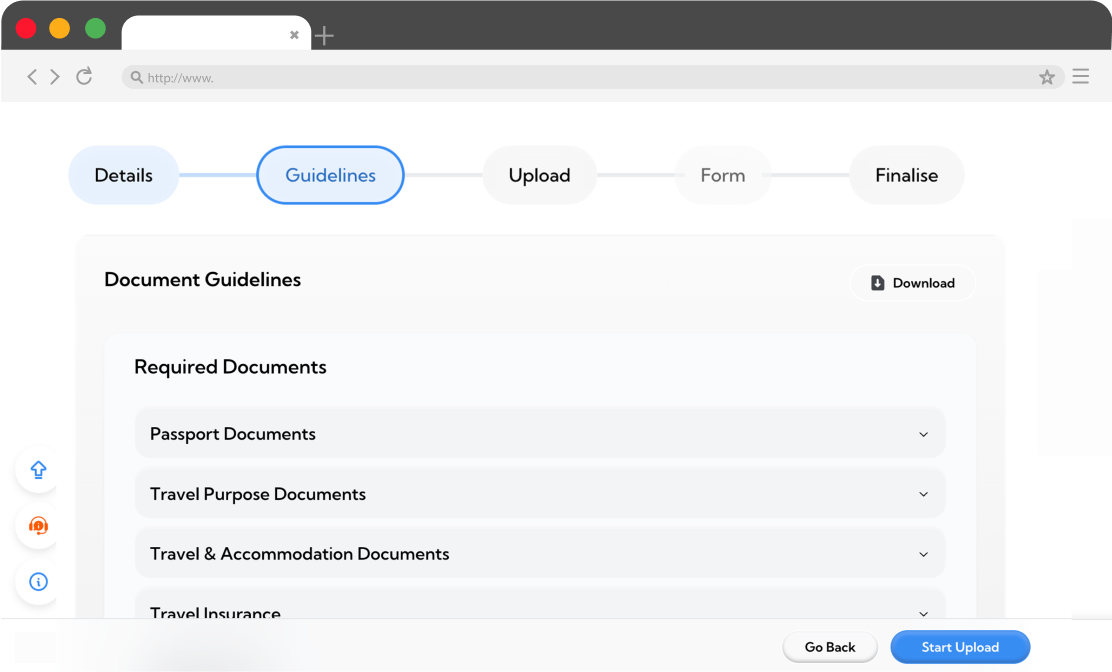
Receive a tailored checklist of everything required for your visa, based on your destination and visa type. Use it to gather your documents in advance and make sure nothing is missed before you start uploading.

Step 5

Get your document checklist

Prepare your application

Step 6

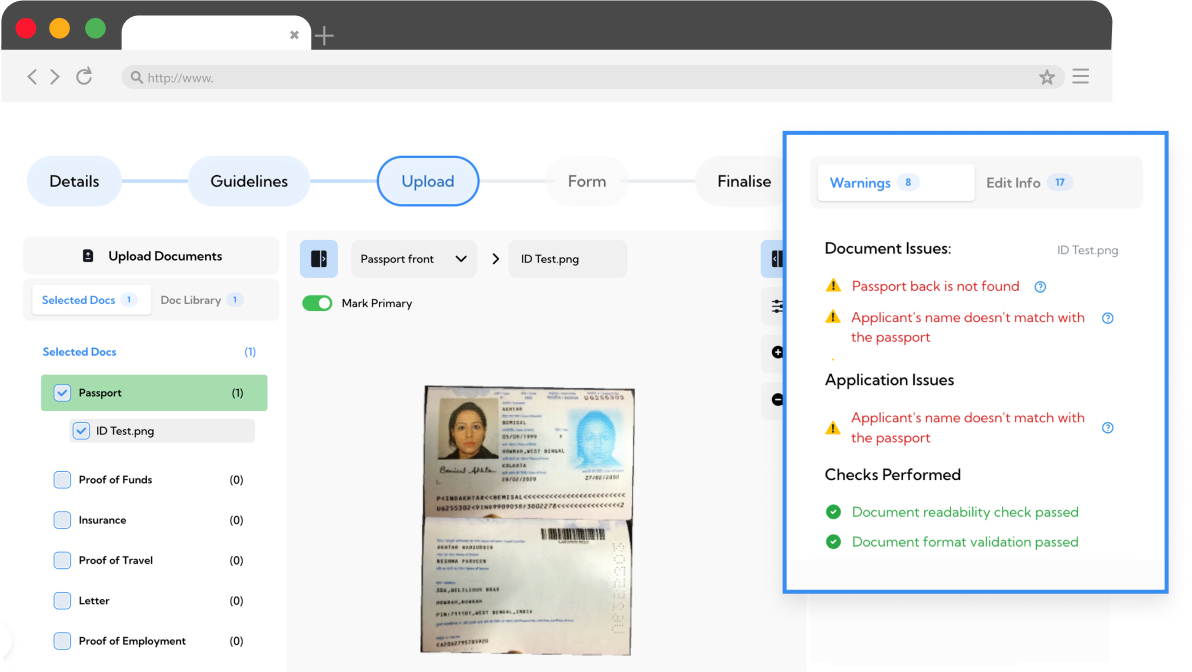
Upload your files securely. The system instantly checks them for common issues, like blurry scans, outdated documents, or missing details, so you can fix problems before moving on. If you upload more than one file for the same category, you’ll choose which version to proceed with.

Step 6

Upload and validate your documents

Step 7

After uploading, you’ll get a detailed validation report for each document. It highlights any issues and explains what needs fixing, so you know exactly how to correct them before moving forward.

Step 7

Review validation results

Step 8

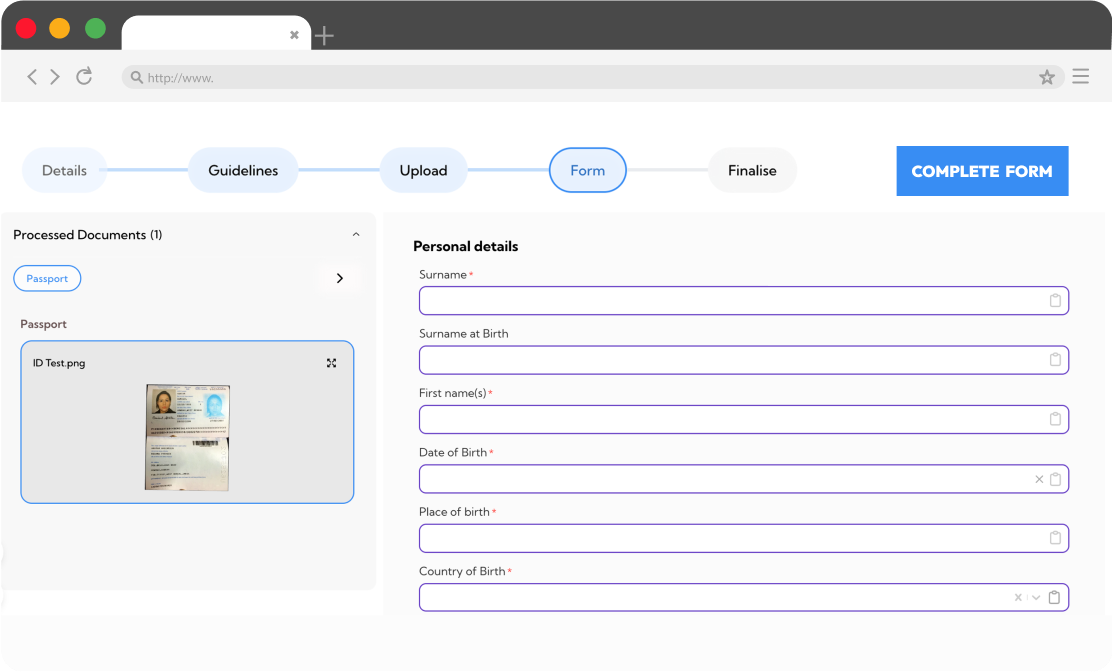
Your visa form is automatically pre-filled with the details from your uploaded documents. All you need to do is review it and add any missing information — saving you time and reducing mistakes.

Step 8

Complete your visa application form

Step 9

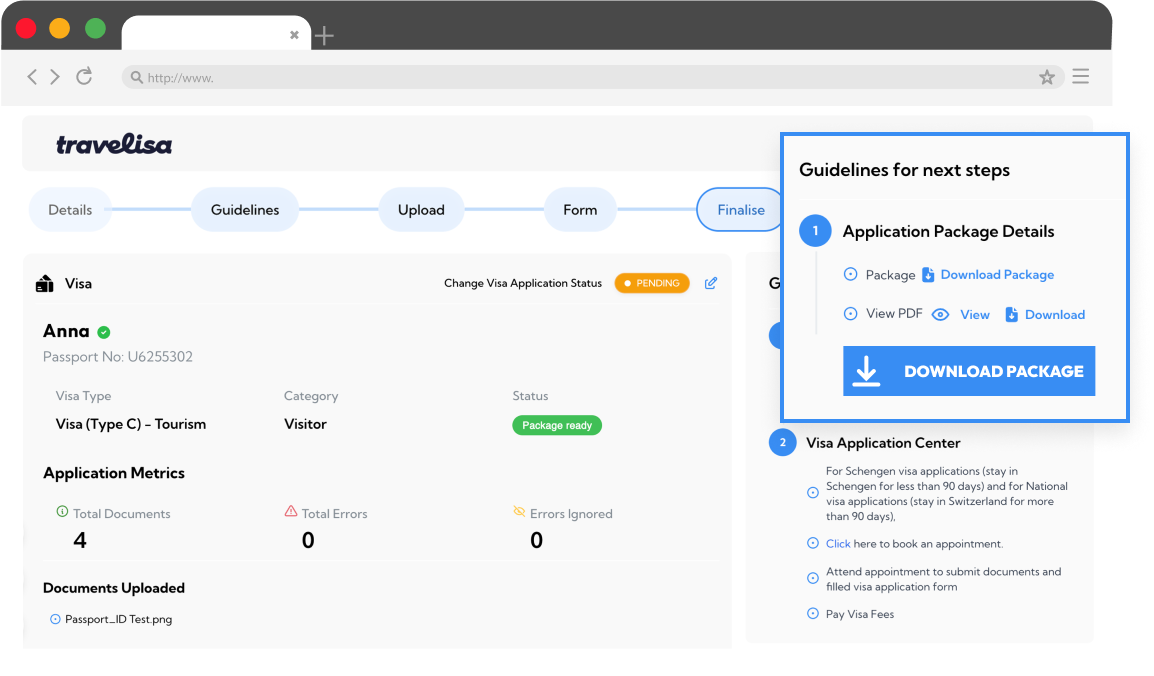
First, you’ll be able to download your document package with everything you’ve uploaded.
Next, our experts will prepare the official visa form for you (unless you choose to opt out).
Once it’s ready, you’ll be notified and can download the complete application.

Step 9

Download your application package

Step 10

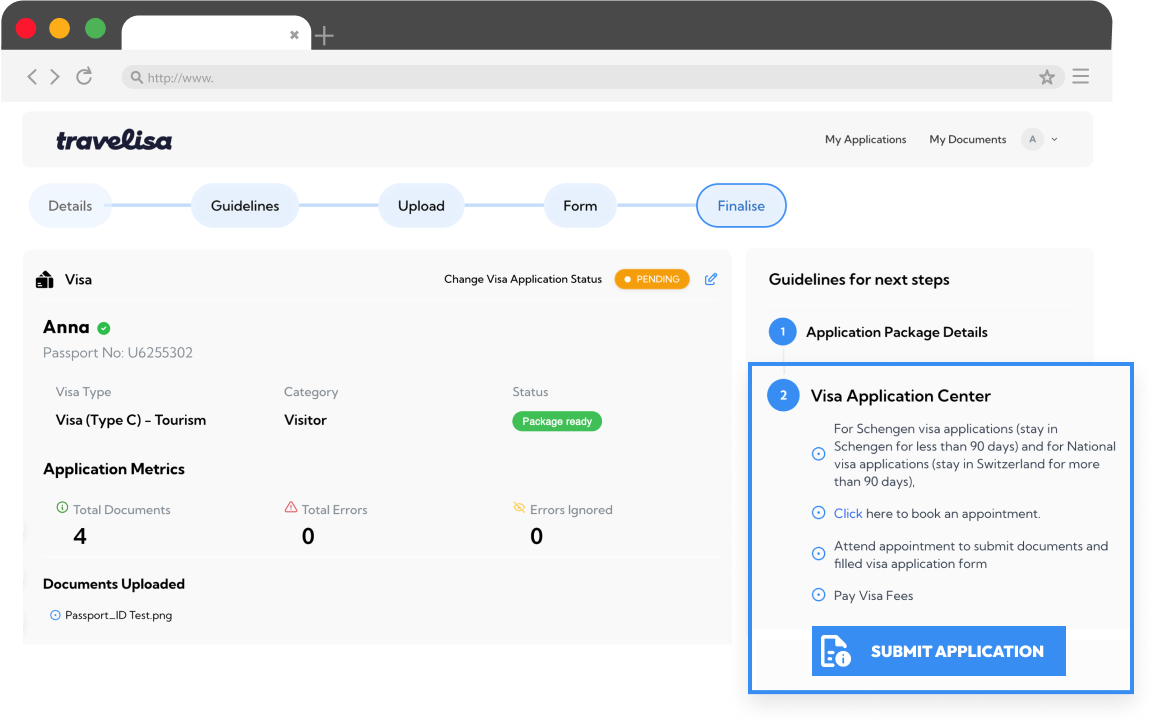
We create your government portal account for you (unless you prefer to do it yourself) and provide clear, step-by-step instructions to submit your application, book your appointment and provide biometrics.

You’ll still need to pay the official visa fee directly to the embassy or government website – this is separate from our service.

Step 10

Submit your application

Frequently Asked Questions

  • What does the €30 fee cover?
  • Will I be working with a real person?
  • Can I apply for more than one person?
  • How long does it take to complete the process?
  • How should I upload my documents?
  • Will a Travelisa ex review my documents?
  • Will Travelisa submit the application for me?
  • Can I change to Expert Visa Assist?
  • Which exact visas does Travelisa support?
  • Is my data safe with Travelisa?

Ready to Start?